Unlock Requests
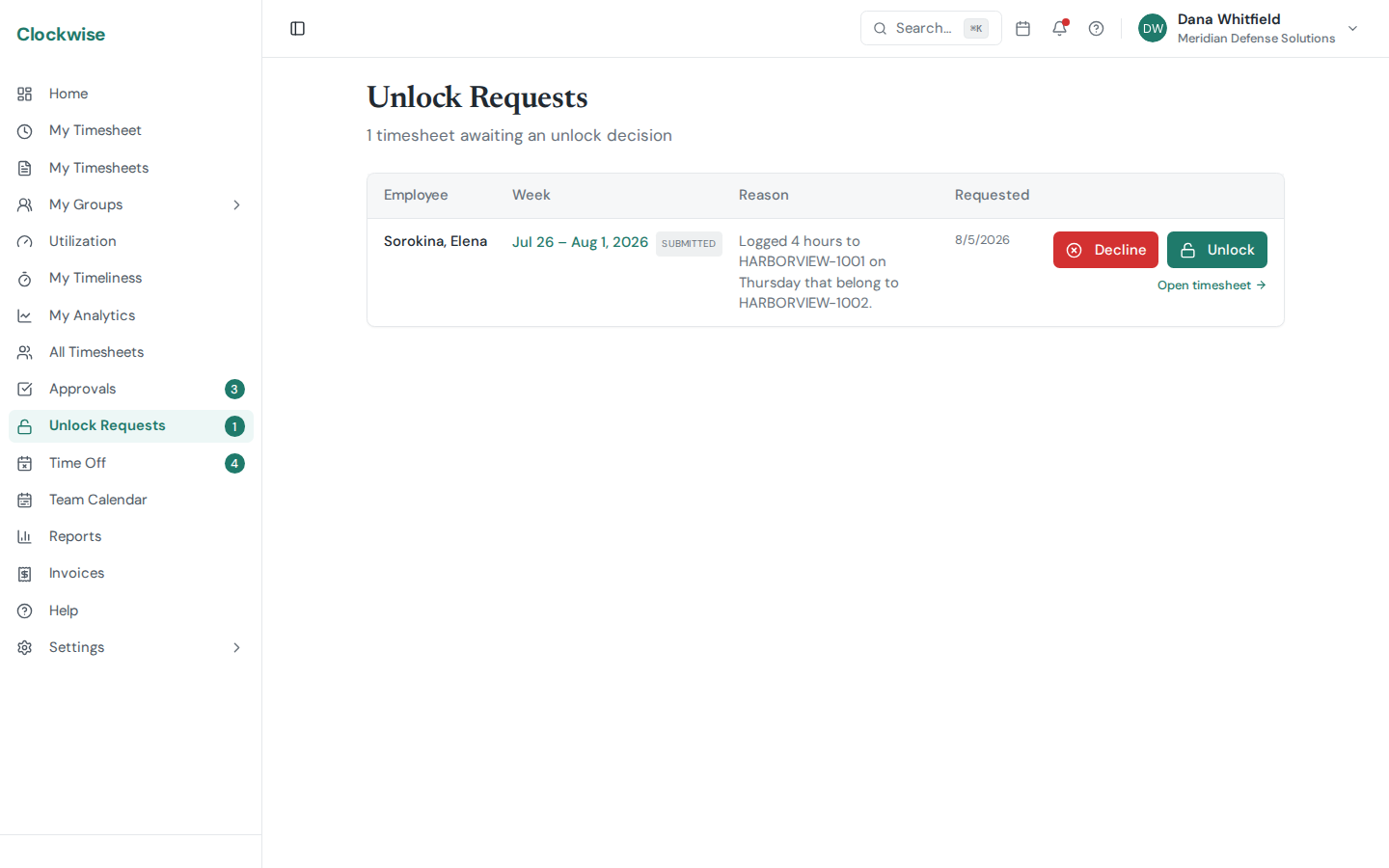
Once you submit a timesheet it locks, and once it's approved it locks harder. That's deliberate — a timesheet nobody can quietly edit after the fact is the whole point of a DCAA-compliant system. But real corrections do come up: hours on the wrong charge code, a day you forgot, a code that turned out to be wrong.
An unlock request is the audit-friendly way to reopen one. Instead of editing a locked record, you ask, someone else agrees, and the reopening is written down.
Requesting an unlock
From the timesheet, click Request Unlock and say why. The reason is required, and it's kept permanently — a reviewer sees it, and so does anyone reading the audit trail later.
Only submitted or approved timesheets can be unlocked. A sheet already in Draft is yours to edit, so there's nothing to request.
You can have one open request per timesheet. Asking again while one is pending doesn't stack up duplicates.
What reviewers see
Reviewers get the request in Unlock Requests in the sidebar, with the employee, the period, and your reason. Admins, owners, finance, and operations support can review them.
Approving sets the timesheet back to Draft so you can fix and resubmit it. Declining leaves it locked, and the reviewer's decision is recorded either way.
Two rules that exist for auditors
You can't approve your own request. Even a reviewer who is otherwise allowed to approve unlocks has to get someone else to approve theirs. One person can't both ask for a record to be reopened and grant it.
Whoever submitted a timesheet can't unlock it. Admins and owners can unlock a sheet directly, without a request — but not one they submitted themselves, even on someone else's behalf. This is DCAA separation of duties: the person who created the record and the person who reopens it must be different people.
Both rules are enforced by the system rather than left to policy, so there's no path around them.
Where it shows up afterwards
An unlock isn't invisible. The request, the reason, the reviewer, and the timing all stay on the timesheet's history, and the sheet's own audit trail shows it was reopened. If the hours change after the unlock, those edits carry their own reasons too — see Timesheet Statuses for how a reopened sheet moves back through Draft and Submitted.