Managing Charge Codes
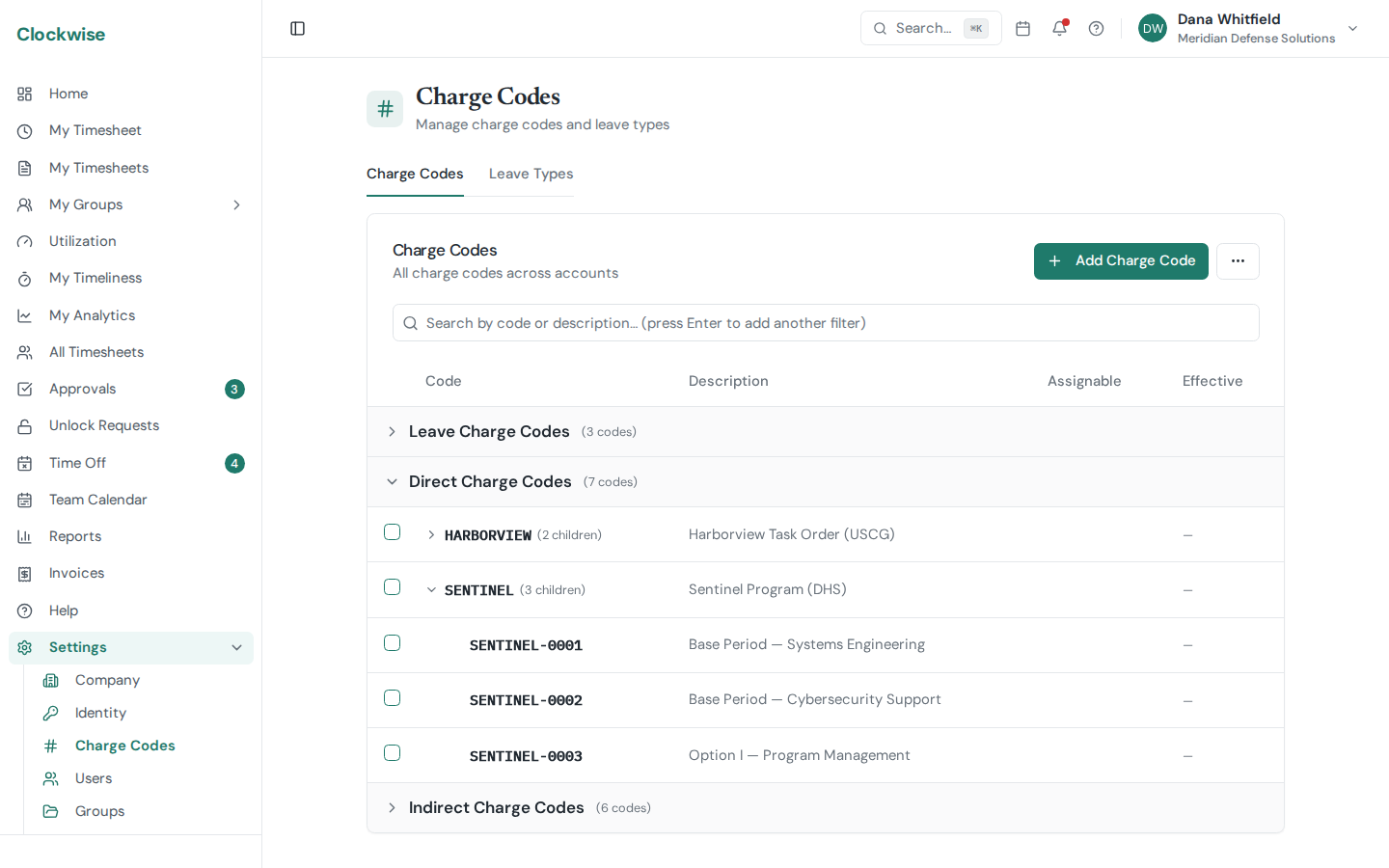
Charge codes are what employees pick from when filling out a timesheet. Every hour in Clockwise is attributed to one. Manage them from Settings → Charge Codes.
Creating a Code
Click New Charge Code and fill in:
Global vs. Assigned
If a code is marked Global, people can charge to it without an explicit assignment — useful for company-wide things like Holiday or Overhead. Who that reaches depends on the code's type:
Global access is a shortcut past the assignment requirement, not a ceiling. To grant a 1099 or subcontractor a leave or indirect code anyway, assign it to them explicitly — the assignment works normally, with its own start and end dates and an audit trail.
To assign a code to specific users, use Settings → Users → (user) → Charge Codes, the Assigned Users card on the code's own page, or the Bulk assign import tool on the Charge Codes page.
Cost Allowability (FAR 31.201-6)
Every charge code has an Allowable Cost toggle, on by default. Turn it off for costs the government won't reimburse — entertainment, lobbying, and the rest of FAR 31.205.
Allowability is a separate axis from type, not a fourth type. An unallowable cost can be direct or indirect (unallowable direct travel is routine), so the two questions are asked independently: *type* says how the cost is classified, *allowability* says whether it can be recovered at all.
Marking a code unallowable does two things. It stops the cost being billed: an unallowable code can't be linked to a labor category, which is what makes a code reachable from a CLIN, so it can never land on an invoice. Clockwise refuses that combination in both directions — you can't mark an LCAT-linked code unallowable, and you can't attach a labor category to an unallowable one.
And in Labor Distribution its hours are split into a separate *(Unallowable)* row, so you can keep them out of the indirect pools that feed your overhead and G&A rates when preparing an incurred cost submission.
How it flows through a hierarchy
Allowability only ever travels down, and only as a restriction:
So the two directions behave differently:
A consequence worth knowing: you can't fix a subtree from the bottom up. Trying to mark a child allowable while its parent is still unallowable is refused, with a message naming the parent. Start at the highest unallowable code and work down.
To change several at once, select them on the Charge Codes page and use Allowability…. The CSV import and export both carry an allowable column (true/false, defaulting to true), though a row under an unallowable parent is forced unallowable on import regardless.
Bulk Operations
Two helpers live on the Charge Codes page:
Charge Codes vs. Accounts
Charge codes are the leaf-level "what did I work on" picker. Accounts sit a layer above and add contract structure (POP, CLIN, LCAT, T&M vs. FFP, rate cards, invoicing). On Pro and Enterprise plans you'll usually create Accounts first and link charge codes to them. See Accounts.