Your Dashboard
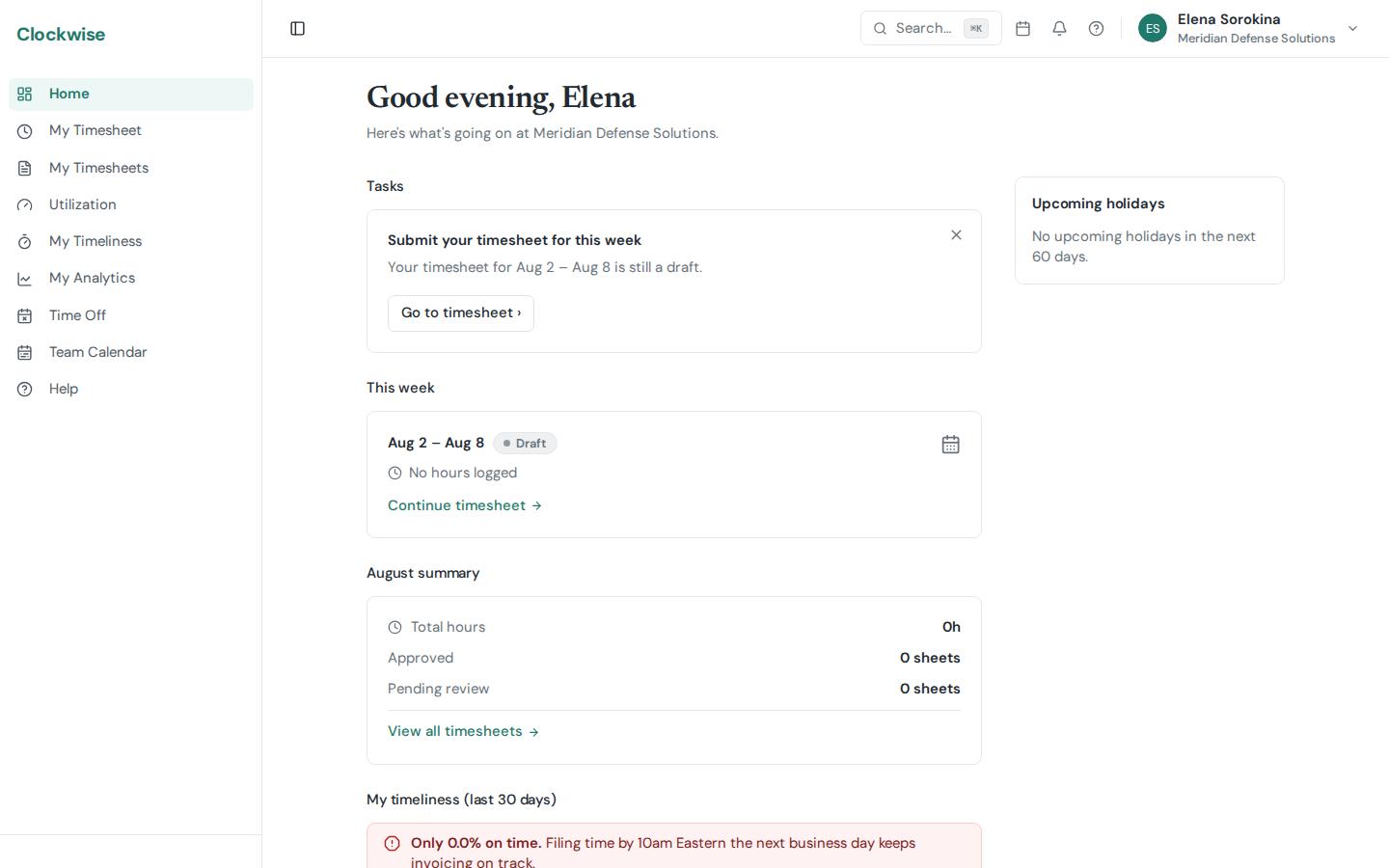
The Dashboard is your home page when you log in. It gives you a quick snapshot of your current status.
Current Week Overview
Shows your timesheet for the current week with its status (Draft, Submitted, Approved) and total hours logged. Click it to jump straight to your timesheet.
Monthly Summary
A summary of the current month showing:
Timeliness (Last 30 Days)
How often time was recorded on time over the last 30 days.
If you manage anyone or approve for any group, this is a list — one line per scope, each showing that scope's on-time percentage:
Those first two lines keep fixed positions so the top of the card doesn't reshuffle week to week; the groups follow with the worst on-time rate first, so the one needing attention always leads them. Four groups are shown at a time, with a Show all toggle if you approve for more than that. Click any line to open that scope's full Timeliness view.
If you have no reports and approve for no groups, the card instead shows your own numbers in full — on-time percentage, days counted, how many were late, how many you revised after the deadline, and a "View details" link into My Timeliness.
Either way:
The card hides itself entirely if you have no countable entries in the last 30 days (e.g., brand-new users) and oversee no teams. An individual group drops off the list when nobody on it has countable days in the window.
Pending Approvals (Managers Only)
If you are a designated approver, you'll see a section listing timesheets waiting for your review. Click any entry to go to the approval view.
Upcoming Holidays
Shows the next upcoming company holidays so you can plan ahead.